







What Is BscScan? Features, How to Use It, and Safety Tips
Blockchain technology has disrupted the way that digital currency can be sent online. Today, anyone in the world can send and receive cryptocurrency without intermediaries, so long as the sender knows the recipient's wallet address.

By Corey Barchat
Published on Sep 11, 2025
Last modified on Sep 11, 2025

Blockchain technology has disrupted the way that digital currency can be sent online. Today, anyone in the world can send and receive cryptocurrency without intermediaries, so long as the sender knows the recipient's wallet address.
To help demystify this complex technology to the average user, there are tools like BscScan and Etherscan. These blockchain explorers play a unique role in providing transparency and insights into blockchain transactions, wallet addresses, smart contracts, and more.
If you want to explore the Binance Smart Chain (BSC) ecosystem, understanding what BscScan is and how to leverage its features can significantly enhance your experience managing BNB tokens, BSC wallet applications, and decentralized applications (dApps).
In this guide, we examine BscScan, its features, how to use them effectively, and important security considerations.
What Is BscScan?
BscScan is a blockchain explorer specifically designed for users to view Binance Smart Chain (BSC) activity. Similar to how Etherscan operates for the Ethereum network, BscScan provides detailed insights into Binance Smart Chain transactions, wallet addresses, smart contracts, and other essential BSC data.

BscScan emerged alongside the rise of the Binance Smart Chain (also known as the BNB Smart Chain or BNB Chain), aiming to fulfill the need for a reliable and user-friendly blockchain explorer within the BSC ecosystem. Since its inception, it has continuously evolved, offering new features and improving its user interface to cater to the growing demands of the Binance community.
The BscScan blockchain explorer is intricately linked with the Binance Smart Chain, providing users with a vital tool to monitor and analyze activities on the Binance network, just like Etherscan does for the Ethereum blockchain.
In fact, BscScan was actually developed by the same team that created Etherscan. Since it's often compared with its Ethereum counterpart, here's how the two explorers stack up side by side:
Feature | BscScan | Etherscan |
Supported Network | BNB Smart Chain (BSC / BNB Chain) | Ethereum (ETH) blockchain |
Developer Team | Built by the same team that created Etherscan | Original explorer for Ethereum |
Main Use Case | Track BNB transactions, tokens, NFTs, dApps | Track ETH transactions, tokens, NFTs, dApps |
User Interface | Nearly identical, optimized for BSC | Standard explorer for Ethereum |
So long as the BNB Smart Chain blockchain network maintains transaction activity in its decentralized applications (dApps), non-fungible tokens (NFTs), and DeFi projects, BscScan should remain an indispensable resource for developers, traders, and crypto enthusiasts.
What Are the Main Features of BscScan?
BscScan is packed with tools, but here are the most useful features for everyday users.
- Real-time transaction tracking: BscScan allows you to track transactions in real-time, providing insights into the sender, receiver, amount transferred, and transaction status.
- Blockchain explorer functionality: Users can explore blocks, transactions, wallet addresses, and smart contracts on the Binance Smart Chain.
- Smart contract verification: BscScan facilitates smart contract verification, enabling users to verify the authenticity and integrity of any smart contract address deployed on the BSC network.
- Transaction tracking and analysis: Users can analyze transaction history, identify patterns, and gain valuable insights into the flow of funds within the Binance Smart Chain ecosystem.
- Gas price monitoring: BscScan displays gas prices for transactions on the BSC network, allowing users to optimize transaction fees and ensure timely execution of transactions.
- Track NFTs on BSC: BscScan provides support for tracking non-fungible tokens (NFTs) on the BNB Smart Chain, enabling users to monitor NFT transactions and activity.
- Charts and statistics: Users can view graphically visualized information on Binance prices and market cap info, transaction history, gas fees, smart contracts, block sizes, daily active users, DEX activity, node trackers, and more.
Here's a quick overview of BscScan’s key features at a glance:
Feature | What It Does |
Transaction Tracking | Search transactions by wallet, tx hash, or block number |
Wallet & Block Explorer | View wallet balances, addresses, and block details |
Smart Contract Verification | Check source code and contract authenticity |
Gas Fee Tracker | Monitor live gas prices and recommended fees |
NFT Explorer | Track collections, trades, and ownership history |
Charts & Analytics | View stats on BNB price, active users, DEX volume, and more |
How to Use BscScan: A Step-By-Step Guide
Using BscScan is pretty straightforward, thanks to its user-friendly interface. Here's a step-by-step guide to help you make the most of its features:
1. Navigate to the BscScan website
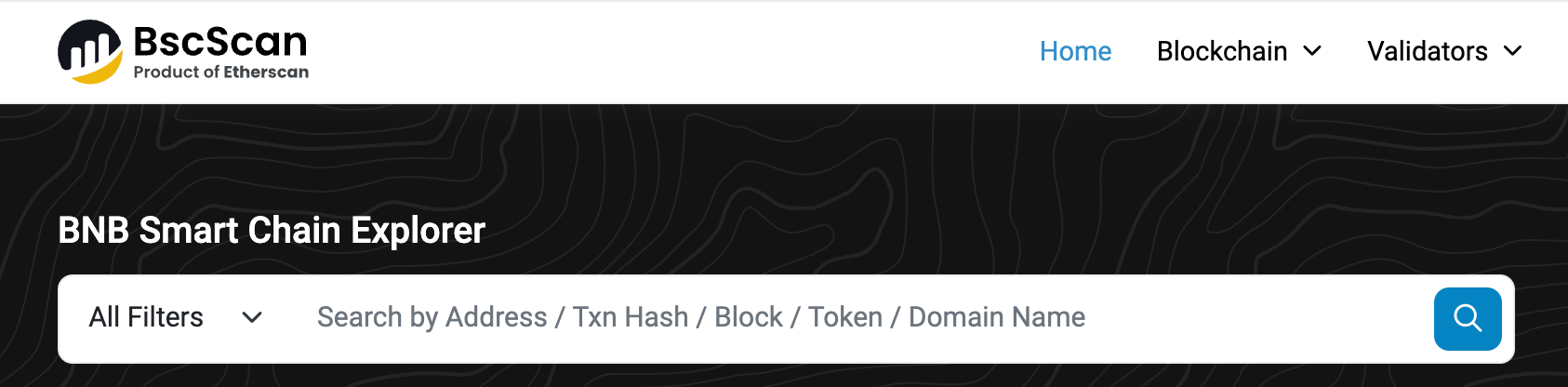
The first step is to visit the official BscScan website, bscscan.com. You can do this by typing "bscscan.com" into the address bar of your preferred web browser on both desktop and mobile.
Once the website loads, you'll be greeted with the BscScan dashboard, which provides an overview of the latest transactions, blocks, and other relevant data on the Binance Smart Chain.
2. Explore transactions
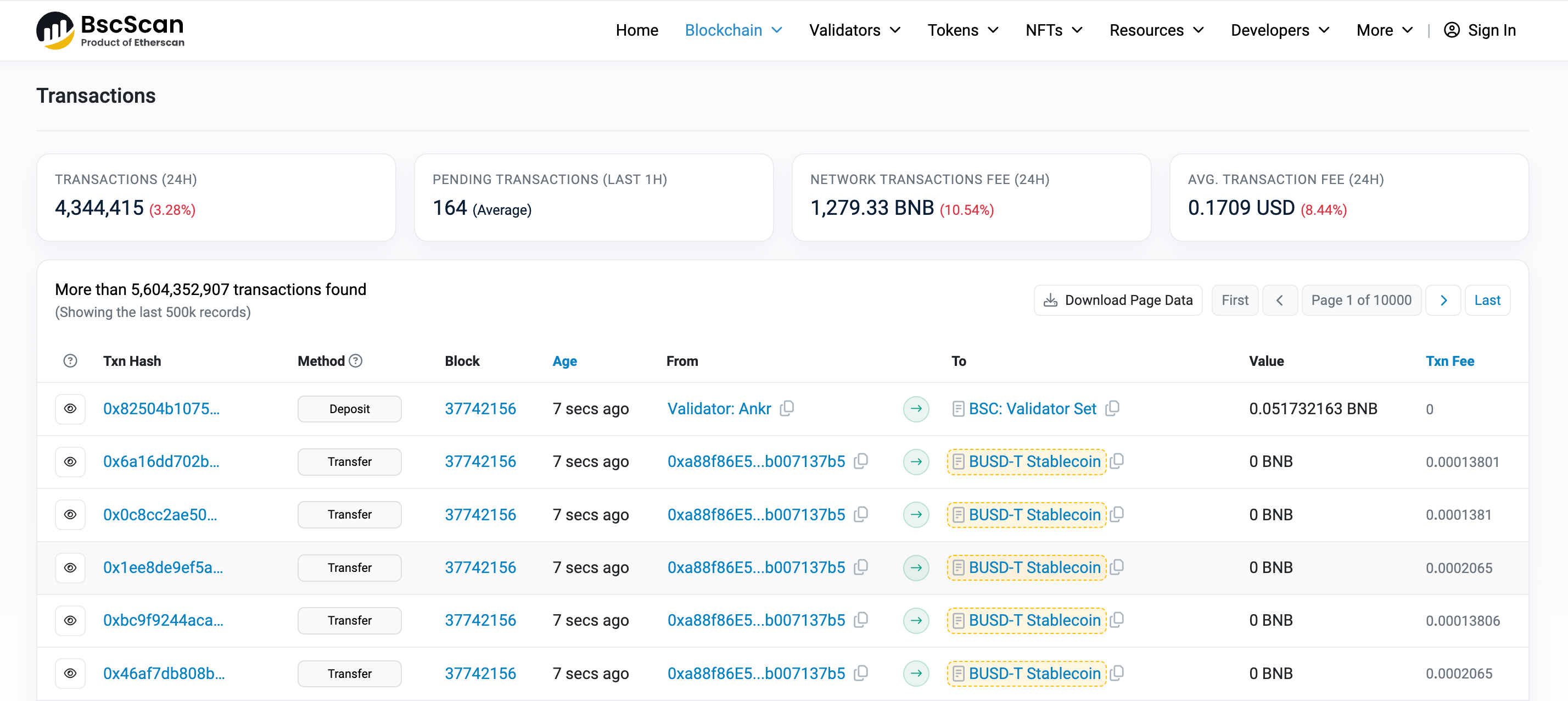
To explore transactions on the BNB Smart Chain, use the search bar located at the top of the BscScan dashboard. You can enter various parameters such as transaction hash, wallet address, or block number to retrieve specific transaction details.
For example, let's say you sent some BNB to a friend and you want to track the transaction. On the BscScan homepage, navigate to the "Blockchain" --> "Transactions" tab and simply enter the designated transaction hash into the search bar. BscScan will display comprehensive information about the transaction, including the sender, receiver, amount transferred, gas fee, and transaction status.
Did you know? You can use BscScan to view millions of transactions on the Binance Smart Chain, which is able to process up to 100 transactions per second.
3. Verify smart contracts
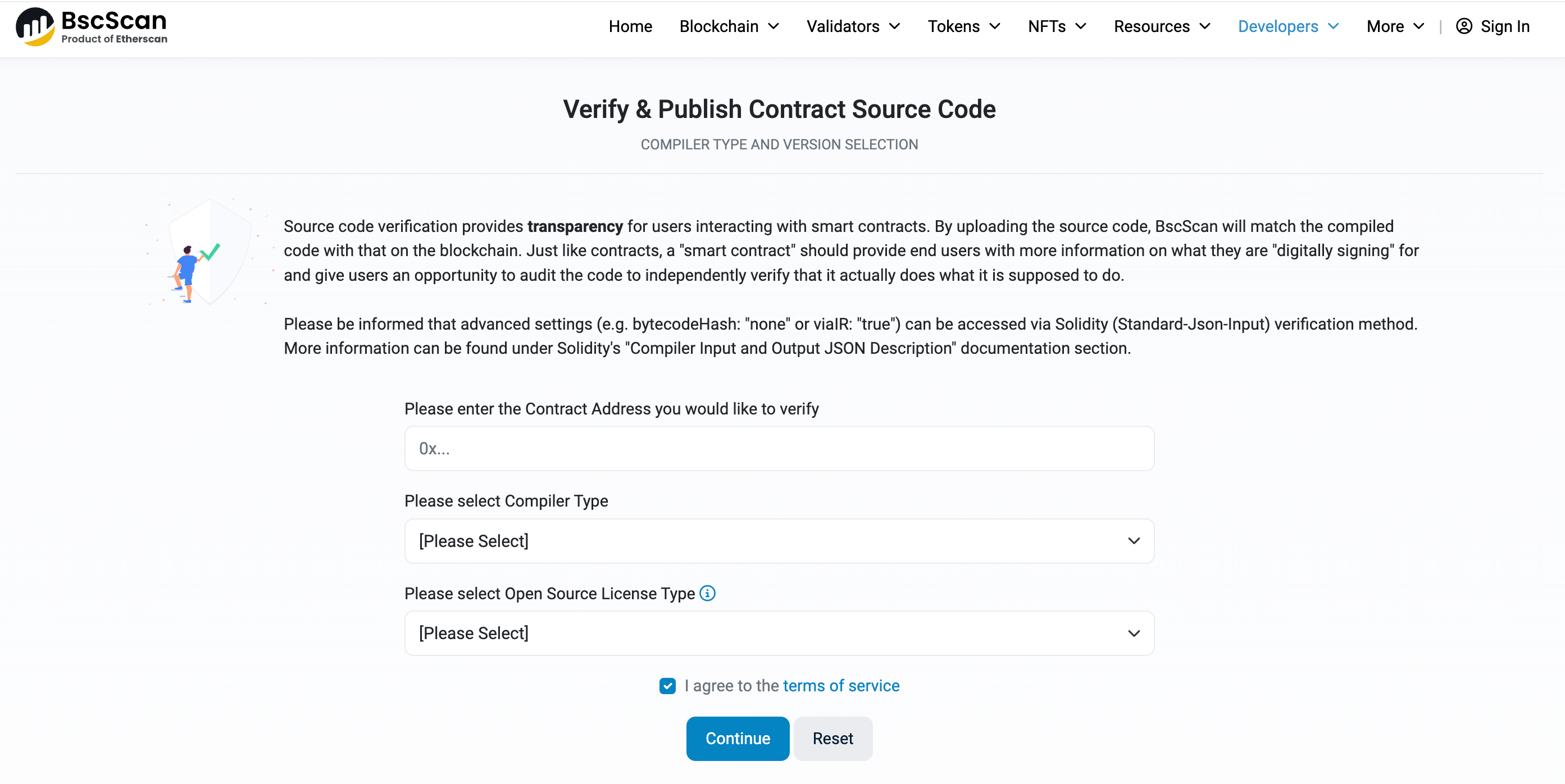
To verify a smart contract on the BNB Smart Chain, navigate to the "Developers" --> "Verify Contract" tab on the BscScan dashboard and enter the contract address into the search bar.
BscScan will provide detailed information about the smart contract, including its source code, compiler version, and contract creation details.
Why should you verify smart contracts? By verifying smart contracts, users can ensure transparency and mitigate the risk of interacting with malicious or fraudulent contracts that can drain their funds.
4. Monitor gas prices
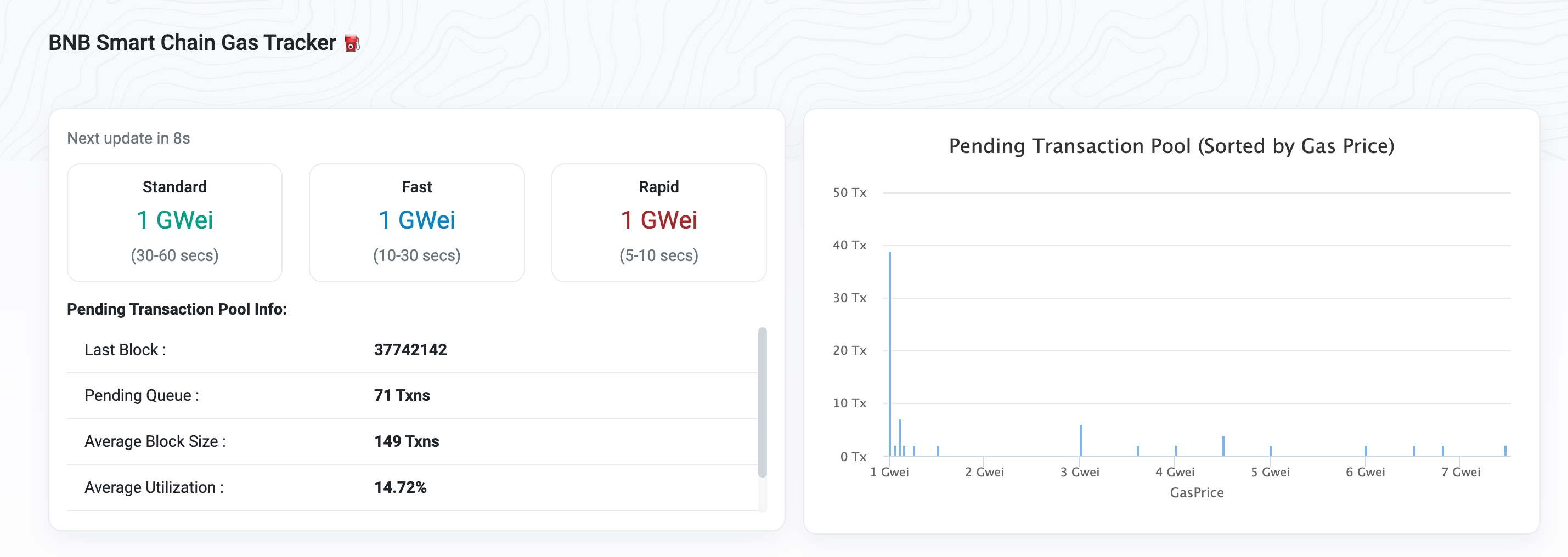
Gas prices play a crucial role in determining the cost and speed of transactions on the Binance Smart Chain. BscScan provides real-time updates on gas costs, allowing users to monitor fluctuations and optimize transaction fees accordingly.
To view BSC gas fees, navigate to the BscScan dashboard and locate the "Gas Tracker" tab by clicking "More" --> "Explore". Here, you'll find information about the current gas prices, gas limit, and recommended gas fees for different transaction types.
Why should you monitor gas fees? By keeping an eye on gas prices, users can make informed decisions and ensure timely execution of transactions, without paying excessive fees.
5. Track NFTs
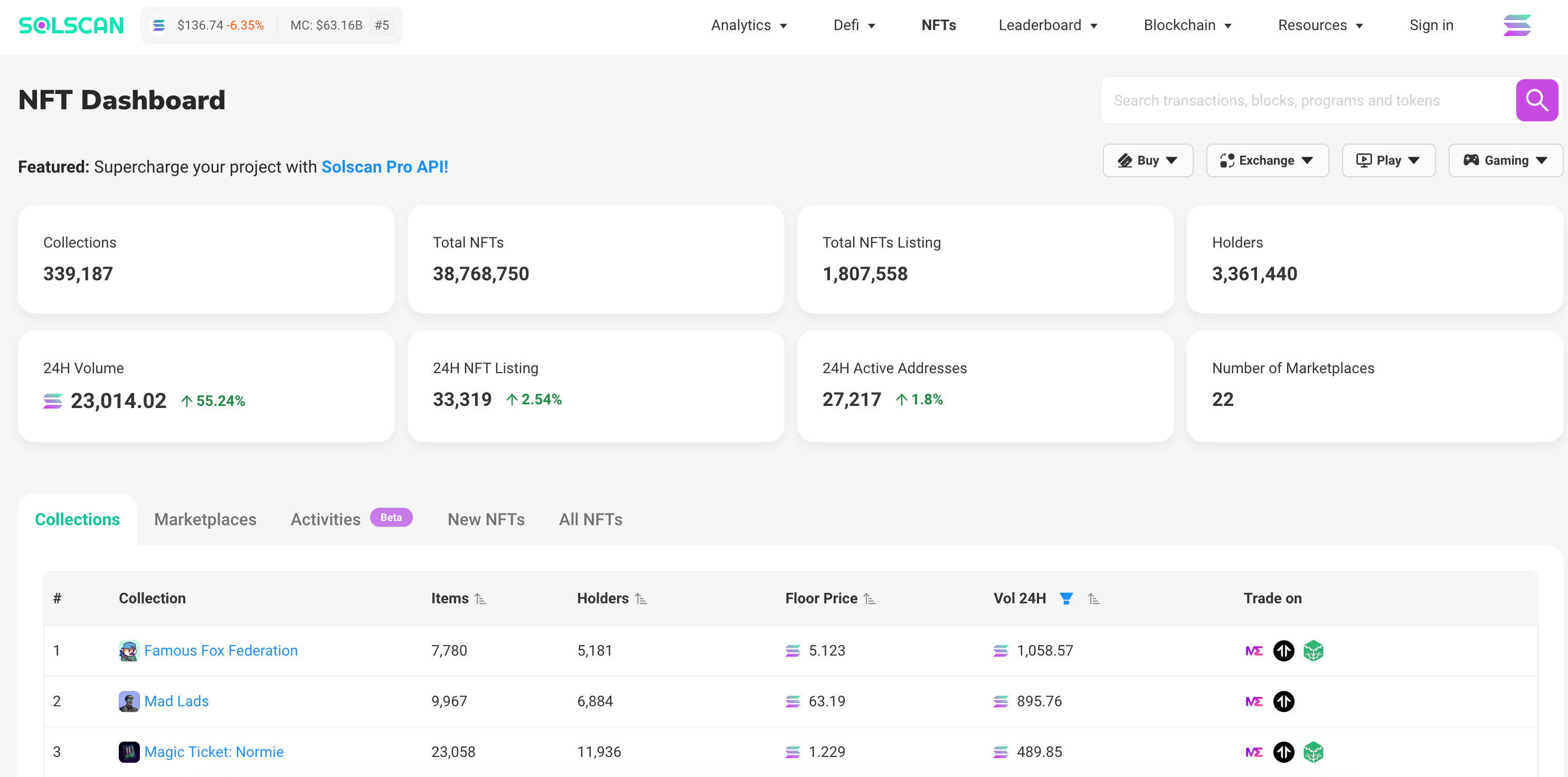
Non-Fungible Tokens (NFTs) have gained popularity within the Binance Smart Chain ecosystem, enabling users to tokenize digital assets and create unique digital collectibles. BscScan provides support for tracking NFTs, allowing users to monitor NFT transactions and activity.
To explore NFTs on BscScan, navigate to the "NFTs" tab on the dashboard to view top NFT collections, recent mints, NFT trades, and transfers.
If you want to search for a specific non-fungible token address, click the "Latest Trades" tab and enter the relevant parameters such as token ID or contract address. BscScan will display comprehensive information about the NFT, including its ownership and transaction history, metadata, and transfer details.
6. Analyze data
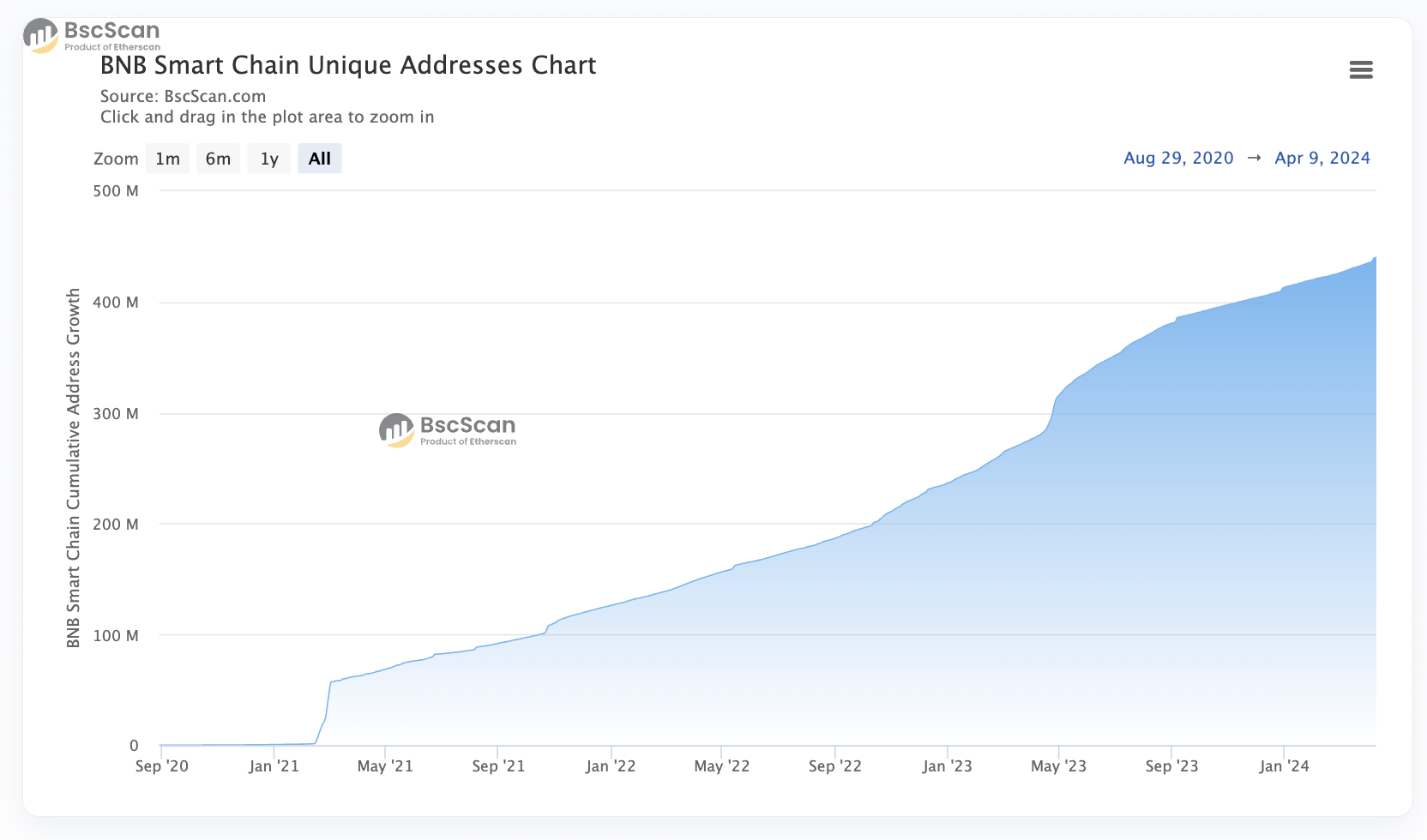
In addition to tracking transactions and verifying smart contracts, BscScan allows users to analyze data and gain valuable insights into the Binance Smart Chain (BSC) blockchain ecosystem.
Head over to "Resources" in the nav bar to start exploring BscScan's various tools, charts, graphs, and statistical indicators.
Click "Charts & Stats" if you want to view graphs like BNB's price and market cap information, blockchain data like daily transactions, users, smart contracts, and wallet addresses, as well as BSC network information like block size, block time, and gas charts. Here, users can also track DEX activity across BNB Smart Chain-compatible decentralize exchanges like PancakeSwap.
By leveraging BscScan's analytical capabilities, users can identify patterns and trends in the Binance Smart Chain network to make informed decisions and optimize their strategies within the BNB Smart Chain ecosystem.
Security and Privacy Considerations When Using BscScan
There are some precautions users can take in the name of security and privacy when interacting with blockchain explorers like BscScan. Here are some key considerations:
- Use trusted explorers: Stick to well-known and trusted block explorers. Avoid using obscure or unknown explorers, as they may be malicious or insecure.
- Verify the URL: Always check that you are using the correct URL for blockchain explorers like BscScan (https://bscscan.com/). Beware of phishing attempts that may mimic legitimate explorer websites.
- Beware of third party links: Users should be cautious of third party links like advertisements potentially displayed on block explorer websites. Malicious ads and links could lead to phishing sites or malware downloads.
- Never share private info: Do not enter sensitive information, such as private keys or passwords, into blockchain explorers. Legitimate explorers will never require this information.
- Use a VPN or incognito mode: Consider using a reputable Virtual Private Network (VPN) to encrypt your internet connection and enhance your privacy while using blockchain explorers. Users may also wish to turn on incognito mode to prevent browsing history and data from being stored.
BscScan FAQs (Frequently Asked Questions)
Which blockchains work with BscScan?
BscScan is compatible with the BNB Smart Chain (BSC), also known as the Binance Smart Chain or BNB Chain.
Is BscScan safe to use?
It's recommended to use the BscScan blockchain explorer for the sole purpose of viewing publicly available information pertaining to activity on the BNB Smart Chain network.
To avoid safety issues, never click on third party links, and don't enter sensitive information like private keys, recovery phrases, or passwords.
Are there other blockchain explorers?
Yes. While BscScan is native to the BNB Smart Chain, there are other block explorers out there that cater to specific blockchain networks.
For example, Etherscan provides block explorer services for the Ethereum network, XRPScan for the XRP Ledger, and Solscan for activity on the Solana blockchain.

There are also other blockchain explorer sites that provide data for multiple blockchain networks. Blockchain.com offers services for Bitcoin, Ethereum, and Bitcoin Cash, while Blockchair covers many blockchain networks like Bitcoin (BTC), Ethereum (ETH), Avalanche (AVAX), Cardano (ADA), Dogecoin (DOGE), and more.
Is BscScan a wallet?
No, BscScan is not a cryptocurrency wallet.
BscScan is a block explorer and analytics platform for the Binance Smart Chain blockchain. However, through BscScan you can view any BNB Smart Chain wallet address.
Do I need an account to use BscScan?
No, users do not need an account to use BscScan. There is the option to create an account, but it is not necessary to use most of the blockchain explorer's features.
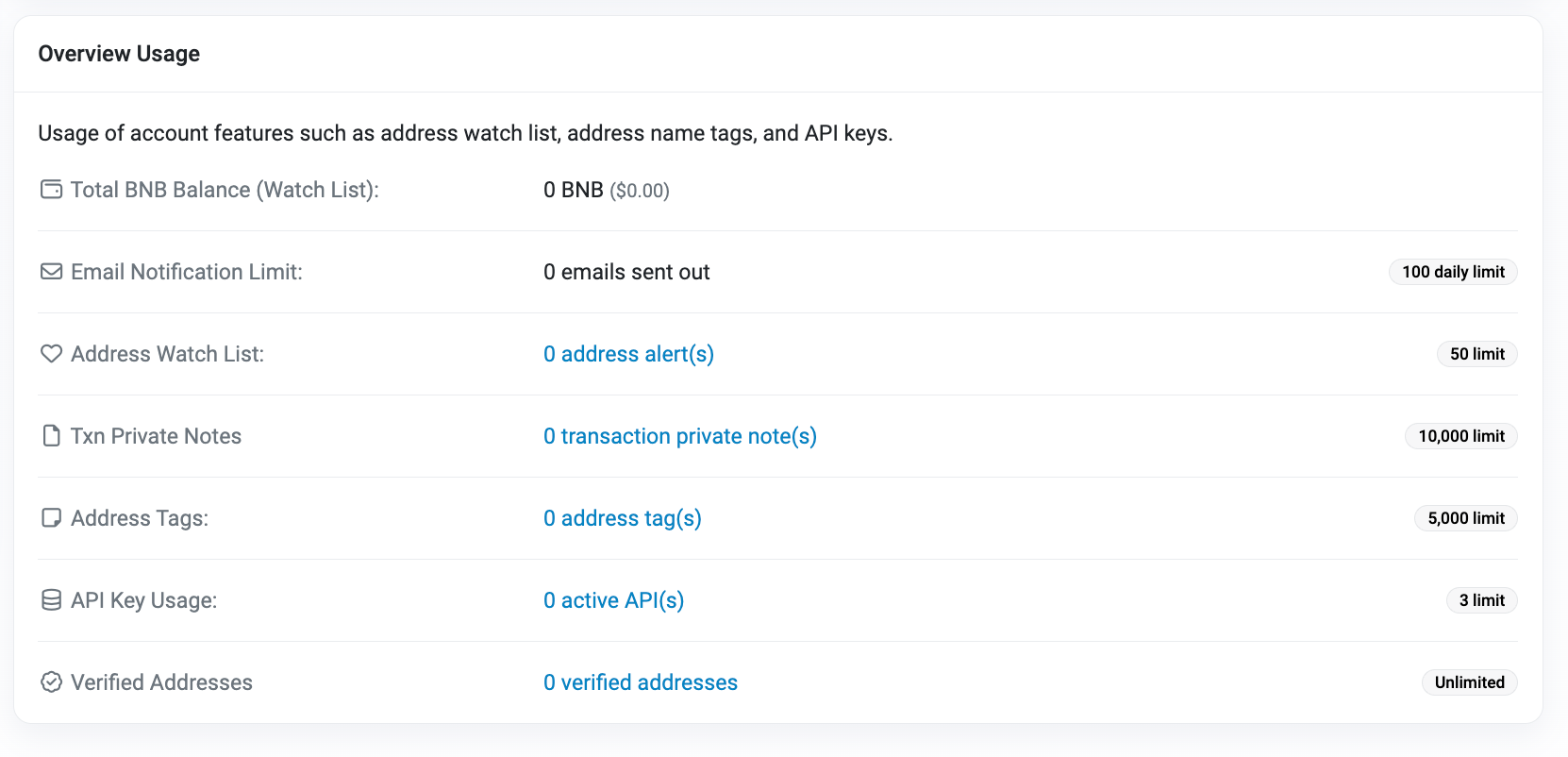
However, creating an account gives users access to additional features like monitoring total BNB balances, adding addresses to custom watch lists, adding private transaction notes and address tags, creating API keys, and more.
Is BscScan free to use?
Yes, BscScan is free to use. Even if you create an account, BscScan does not charge for these services.
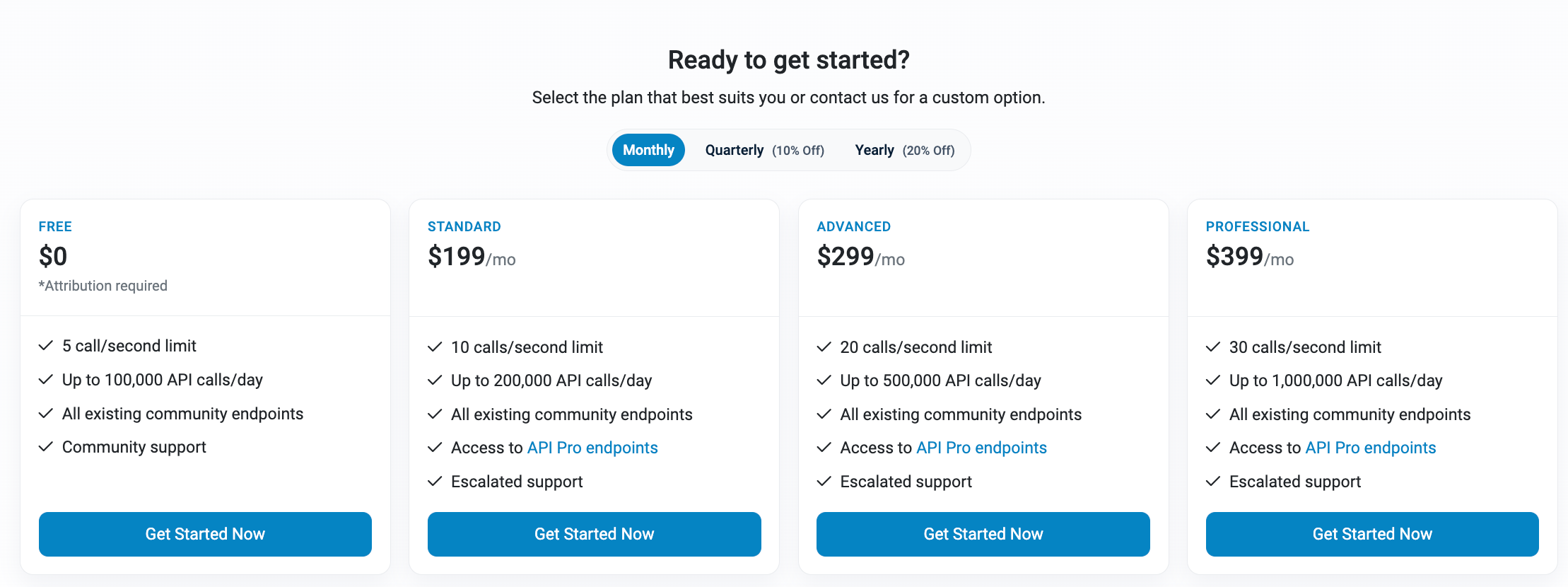
However, for developers that wish to create multiple API keys and many API calls per day, it could be worth exploring BscScan's paid plans.
Start Using BscScan Today
To fully explore your own transactions on BscScan, you’ll first need BNB (Binance Coin) in your wallet.
MoonPay makes it easy to buy BNB using a credit card, bank transfer, Apple Pay, Google Pay, and many other payment methods. Just enter the amount of BNB you wish to purchase and follow the steps to complete your order.
Due to strict regulations, BNB purchases are not available for MoonPay customers in the US and UK. For a full list of supported cryptocurrencies in these regions, visit our help center.
How to Sell BNB
MoonPay also makes it easy to sell Binance Coin (BNB) when you decide it's time to cash out your crypto. Simply enter the amount of BNB you'd like to sell and enter the details where you want to receive your funds.