Launching MoonPay Enterprise: Stablecoin APIs for developers → Learn More

MoonPay
  • Individuals
  • Business
  • Language
  • Get Started
Buy
Buy cryptoUse a card, Apple Pay or Google Pay to buy crypto fast. We also accept bank transfers and wires.
Buy BitcoinBTC
Buy EthereumETH
Buy PolygonPOL
Buy SolanaSOL
Buy DogecoinDOGE
Buy CardanoADA
Buy AvalancheAVAX
Sell
Sell cryptoTurn your crypto into cash. In a flash. Get paid straight to your bank account or Visa card.
Sell BitcoinBTC
Sell EthereumETH
Sell USDCUSDC
Sell SolanaSOL
Sell CardanoADA
Sell DogecoinDOGE
Sell AvalancheAVAX
Trade
Trade cryptoTrade between tokens, even if they’re on different chains (we make bridging seamless too).
Trade EthereumETH
Trade USDCUSDC
Trade AaveAAVE
Trade ChainlinkLINK
Trade Wrapped BitcoinWBTC
Trade DaiDAI
Trade CompoundCOMP
Company
NewsroomNewsroomMediaMediaCareersCareersChangelogChangelogMoonPay DiscoverMoonPay DiscoverNew
Crypto Prices
Bitcoin PriceEthereum PriceSolana PriceDogecoin PriceCardano PriceXRP PriceBNB PriceAll Crypto Prices
Learn
What is Blockchain?What is Blockchain?What are NFTs?What are NFTs?What is Bitcoin mining?What is Bitcoin mining?What is DeFi?What is DeFi?What is crypto staking?What is crypto staking?All Learn Articles
Support
DocumentationDocumentationHelp CenterHelp CenterContact UsContact UsStatusStatus
  • Language
  • All rights reserved. MoonPay USA LLC is a registered money service business (NMLS ID: 2071245). For Law Enforcement requests please direct your official document to our compliance team here.

    English
    • Personal
    • Buy Crypto
    • Sell Crypto
    • Trade Crypto
    • Learn about Crypto
    • Crypto Price
    • MoonAgentsNew!
    • Business
    • Ramps
    • Virtual AccountsNew!
    • MoonPay Discover
    • MoonPay Commerce
    • MoonPay InstitutionalNew!
    • Company
    • About Us
    • CareersWe're hiring
    • Newsroom
    • Media
    • Changelog
    • Support
    • API Docs
    • Help Center
    • Contact Us
    • Status
    • Security
    • Buy
    • Buy Bitcoin
    • Buy Ethereum
    • Buy Solana
    • Buy Cardano
    • Sell
    • Sell Bitcoin
    • Sell Ethereum
    • Sell XRP
    • Sell Solana
    • Trade
    • Trade Ethereum
    • Trade SOL
    • Trade Aave
    • Trade Chainlink
    • Crypto Prices
    • Bitcoin Price
    • Ethereum Price
    • Dogecoin Price
    • XRP Price
    • Cardano Price
    • Learn
    • What is Blockchain?
    • What are NFTs?
    • What is Bitcoin mining?
    • What is DeFi?
    • What is crypto staking?
    • Legal
    • Licenses
    • Privacy Policy
    • Cookie Policy
    • Terms of Use
    English

    All rights reserved. MoonPay USA LLC is a registered money service business (NMLS ID: 2071245). For Law Enforcement requests please direct your official document to our compliance team here.

    Back to all articles

    Convert crypto to fiat with MoonPay | Trust Wallet

    There are 100+ cryptocurrencies available for purchase on MoonPay, but did you know we also make it easier than ever for users to sell cryptocurrency for traditional currencies like dollars and Euros?

    Corey Barchat

    By Corey Barchat

    Published on Dec 17, 2023

    Last modified on Aug 22, 2024

    cryptocurrencyguidebitcoinbasics
    Convert crypto to fiat with MoonPay banner
    1. 1.Why Trust Wallet?
    2. 2.Converting crypto to fiat
    3. 3.Sell crypto with MoonPay

    There are 100+ cryptocurrencies available for purchase on MoonPay, but did you know we also make it easier than ever for users to sell cryptocurrency for traditional currencies like dollars and Euros?

    In the crypto industry, this sell functionality is often called an “off-ramp”. Off-ramps are important because they ensure that users are not permanently locked into a cryptocurrency and can exit the crypto economy (i.e., sell crypto for fiat money) at any time.

    While MoonPay users with supported bank accounts in supported regions can off-ramp directly in our payments widget, we also integrate with partner wallets and crypto exchanges.

    This guide will show you how to convert your crypto to fiat step-by-step using Trust Wallet.

    Why Trust Wallet? 

    Trust Wallet is a user-friendly wallet that enables crypto purchases and swaps. The app is free to download and serves as a hub to buy, store, and collect NFTs, as well as access decentralized apps through their Trust DApp Browser.

    With 60M+ users and support for 10M+ assets, Trust Wallet is a one-stop wallet for a seamless Web3 experience.

    Converting crypto to fiat

    Step 1: Download Trust Wallet

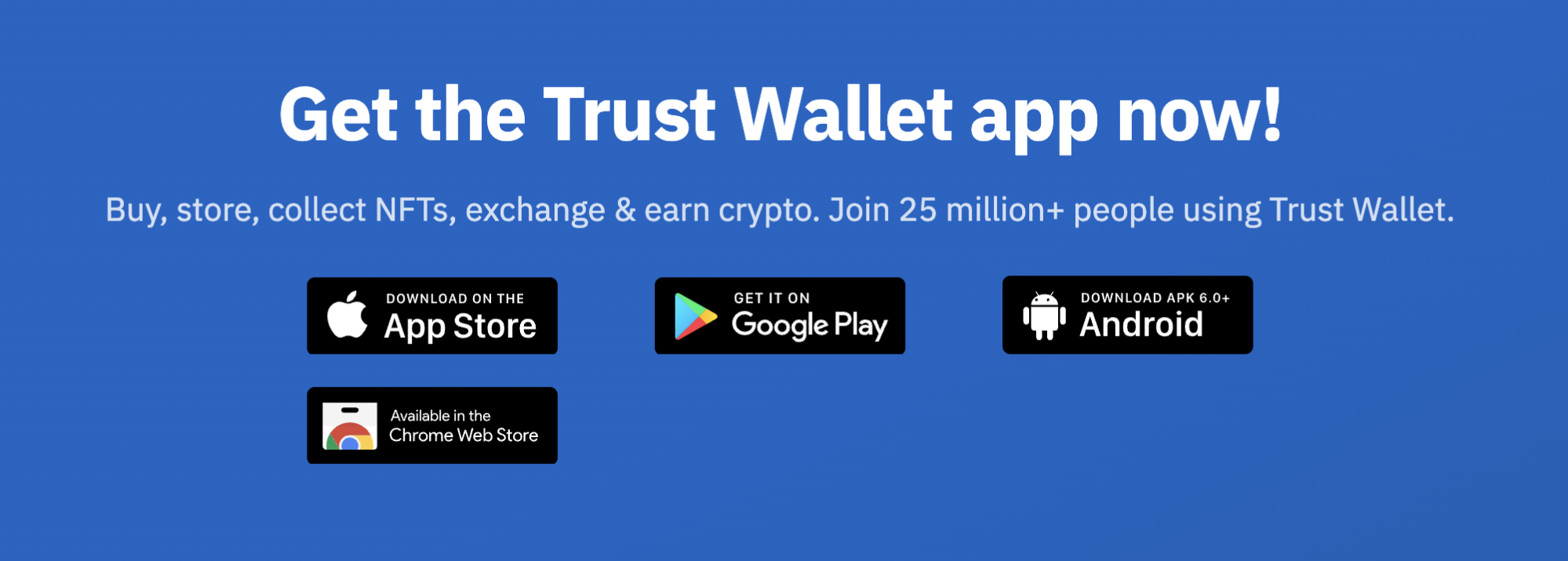
    Trust Wallet is available for users on multiple platforms, including iPhone and Android.

    Trust Wallet download screen
    Trust Wallet is available for desktop and mobile.

    To download the Trust Wallet application, simply select your preferred platform and continue to install.

    Step 2: Set up your wallet

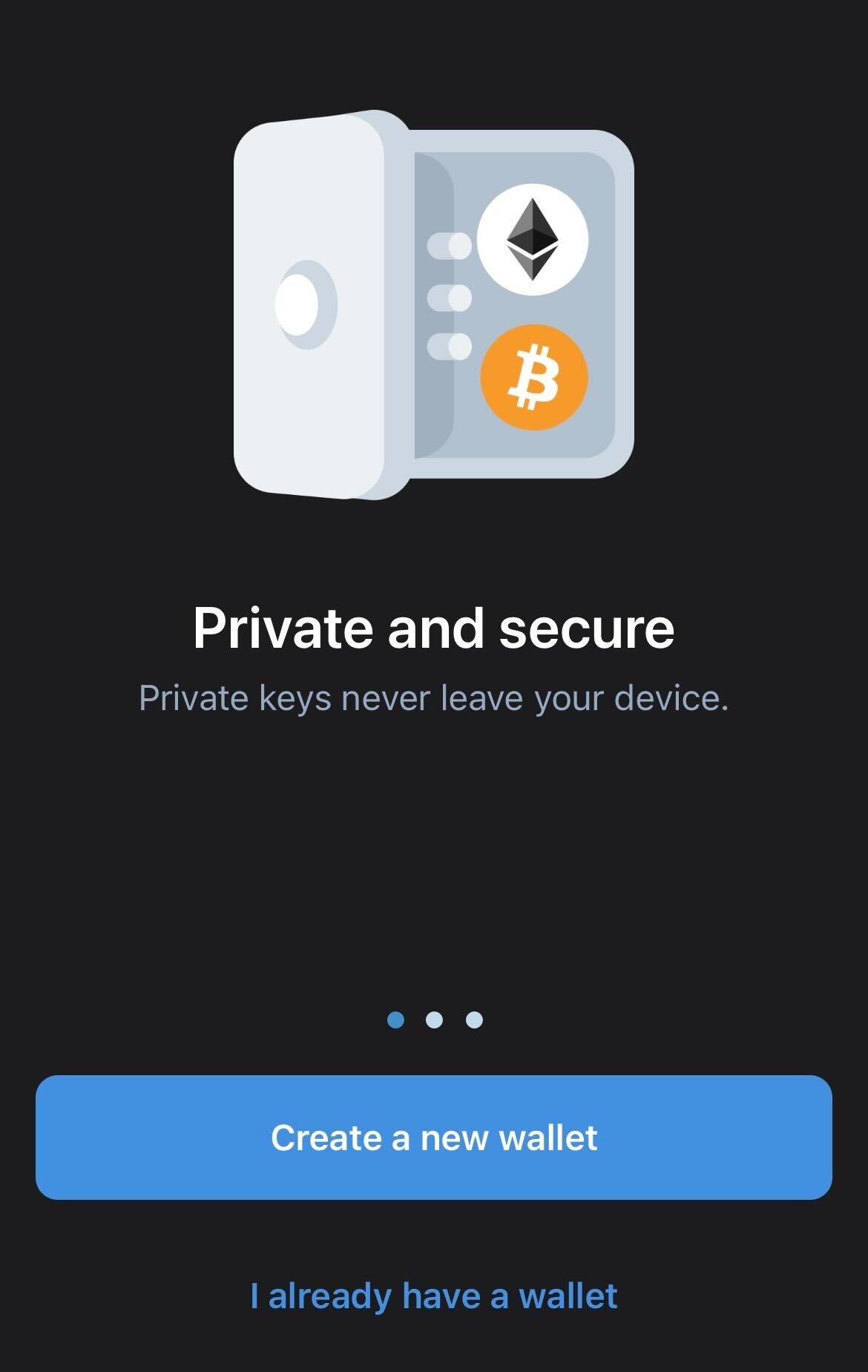
    Trust Wallet lets you create a new non-custodial wallet from scratch, giving you complete control over your private keys and digital assets. 

    A non-custodial wallet differs from a custodial wallet in that the latter allows a central custodian to control access to your private keys. 

    Trust also gives you the option to import an existing wallet by inputting that wallet’s corresponding secret recovery phrase.

    Trust Wallet create a new wallet screen

    Whether creating a new wallet or importing an existing one, it’s always important to write down your recovery phrase and store it in a safe place offline. 

    If you misplace your recovery phrase, you will not be able to regain access to your wallet. 

    And if you’re thinking of taking a screenshot of your recovery phase, think again. Trust Wallet will send a warning if you try this, because if someone obtains your seed phrase (by hacking your cloud photos, for example) then they will be able to control all the funds in the wallet.

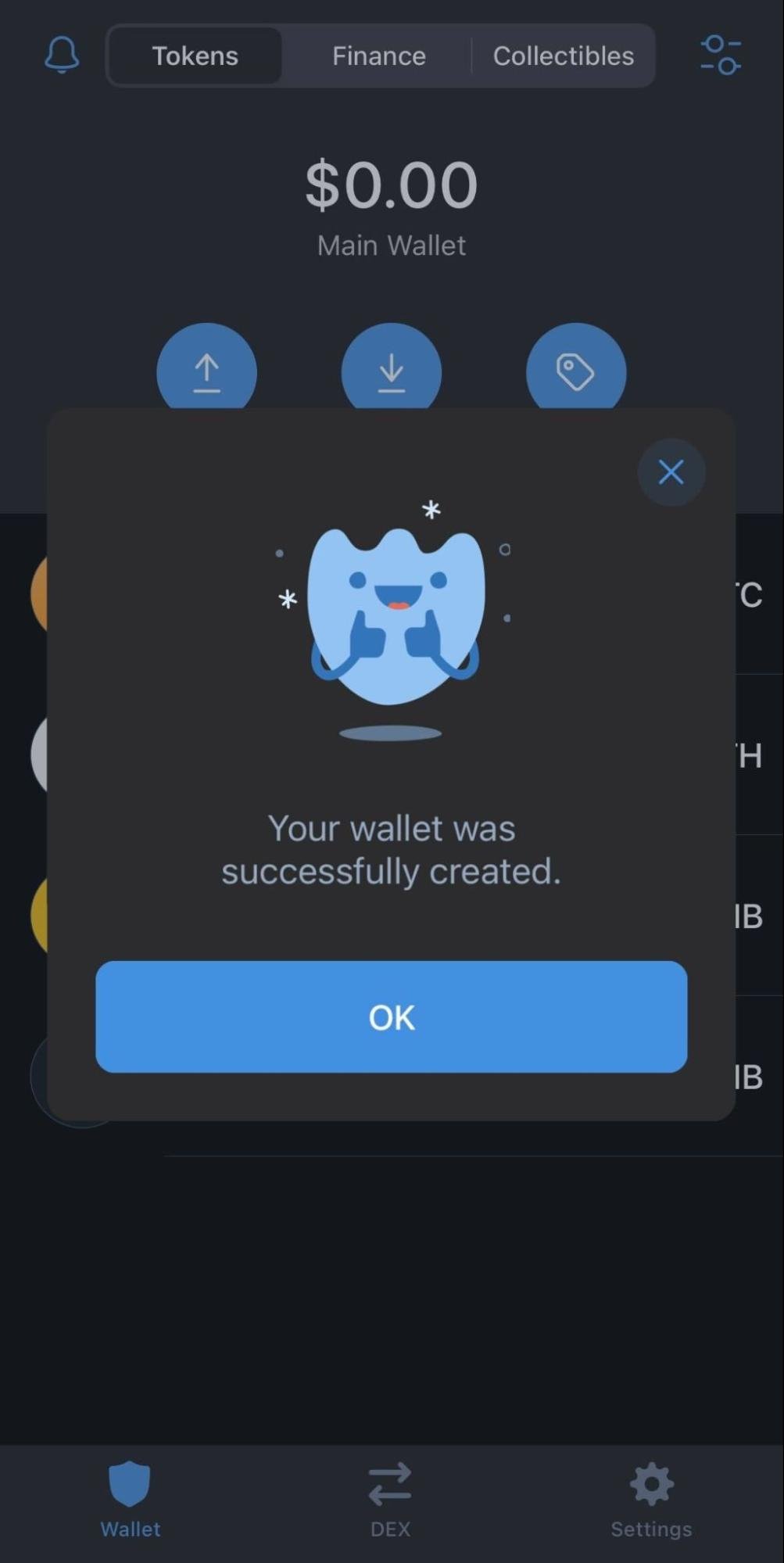
    Trust Wallet wallet created screen

    If you’ve chosen to create a new wallet, you’ll need to input your secret recovery phrase in the correct order to continue setting up. 

    Congrats! You’ve just successfully created an account on Trust Wallet!

    Step 3: Sell crypto on Trust Wallet via MoonPay

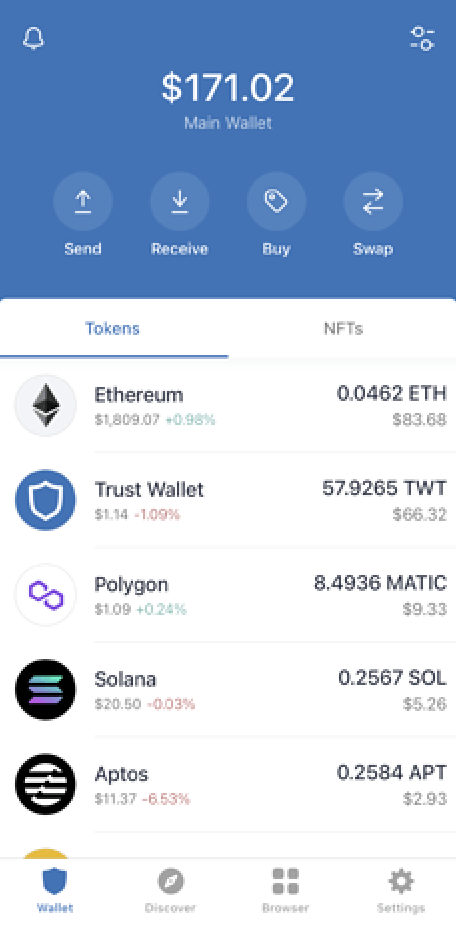
    After creating or inputting your wallet, you’ll be brought to the wallet home screen. 

    Trust Wallet home screen

    This page displays your assets and provides options to send, receive, buy, swap, and sell crypto.

    Trust Wallet home screen

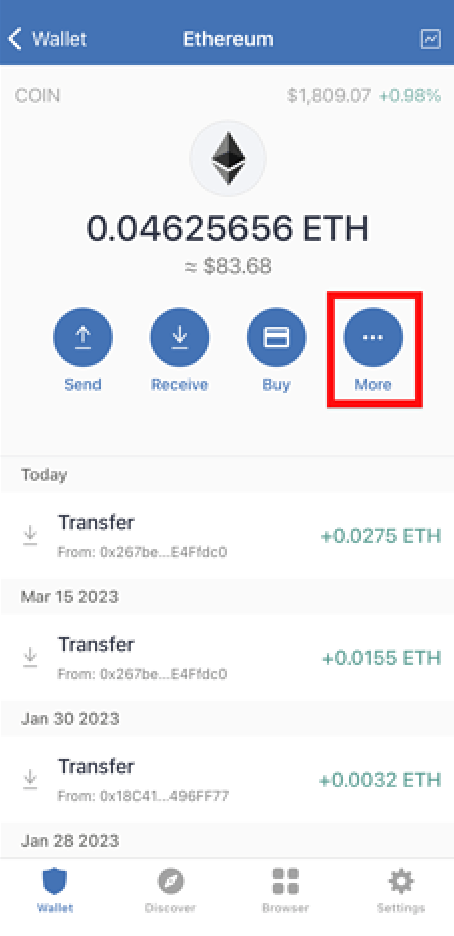
    Choose the crypto asset you'd like to convert to fiat money. Select More --> Sell.

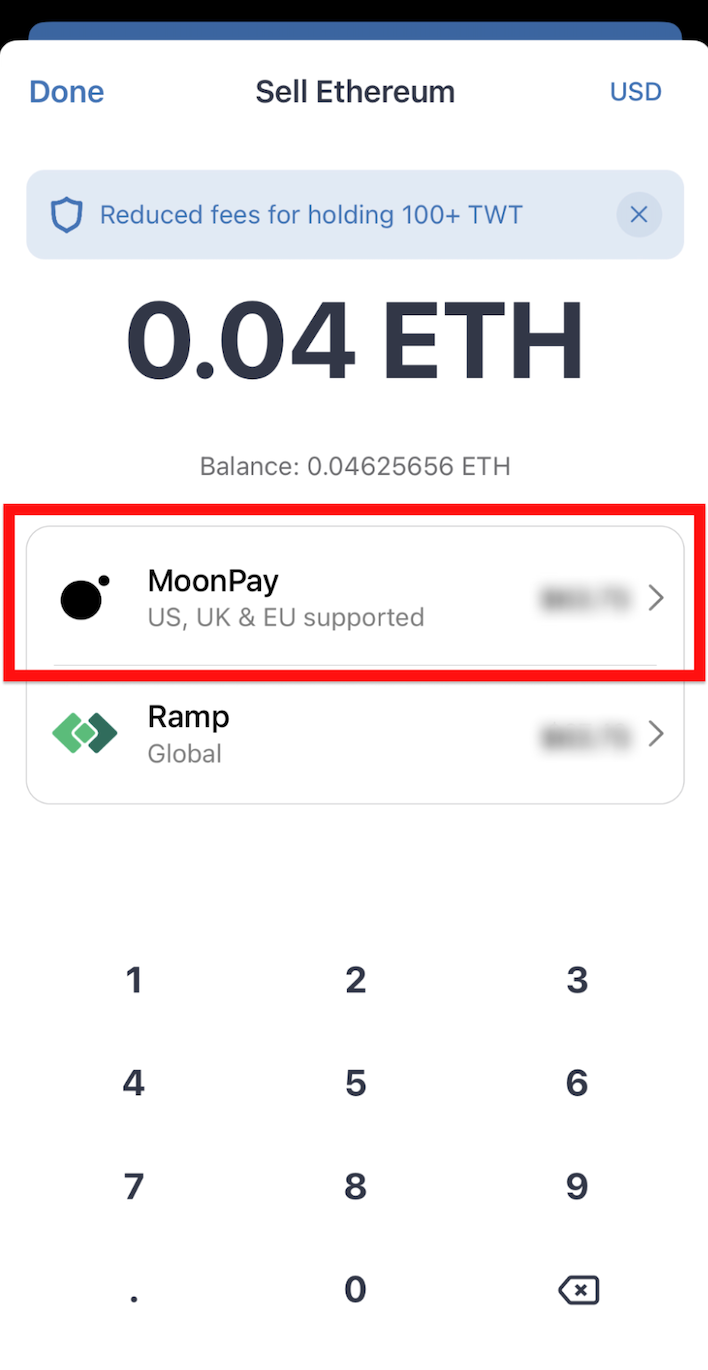
    Sell crypto on Trust Wallet via MoonPay screen

    Next, choose MoonPay and follow these instructions to complete your order:

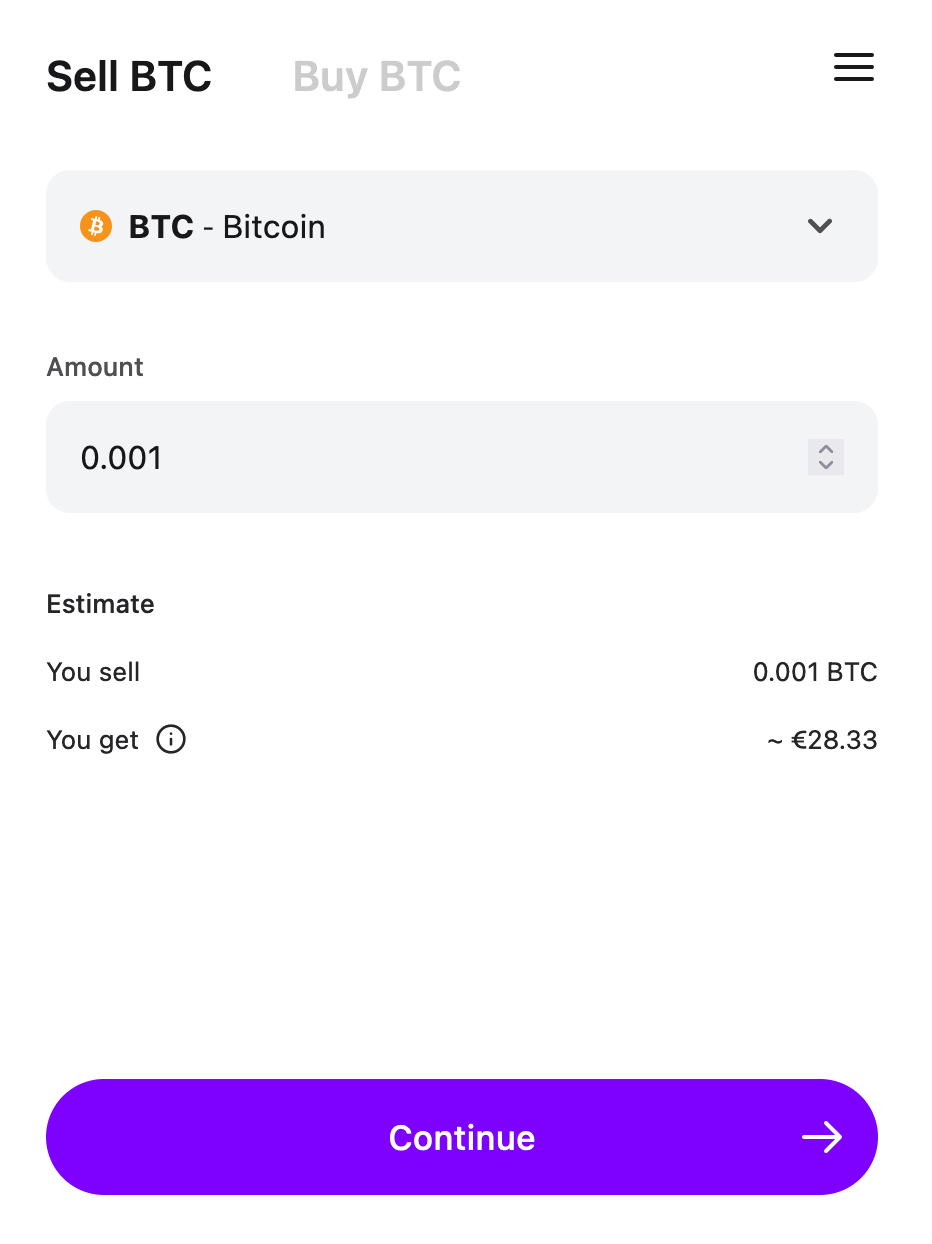
    1) Input the amount of crypto you’d like to sell

    After selecting Sell, you’ll be asked to input the quantity of crypto you want to sell.

    Trust Wallet Sell BTC screen

    If you prefer to sell small amounts of crypto, MoonPay allows sales of a minimum of 0.0015 BTC and 0.025 ETH, among other supported cryptocurrencies.

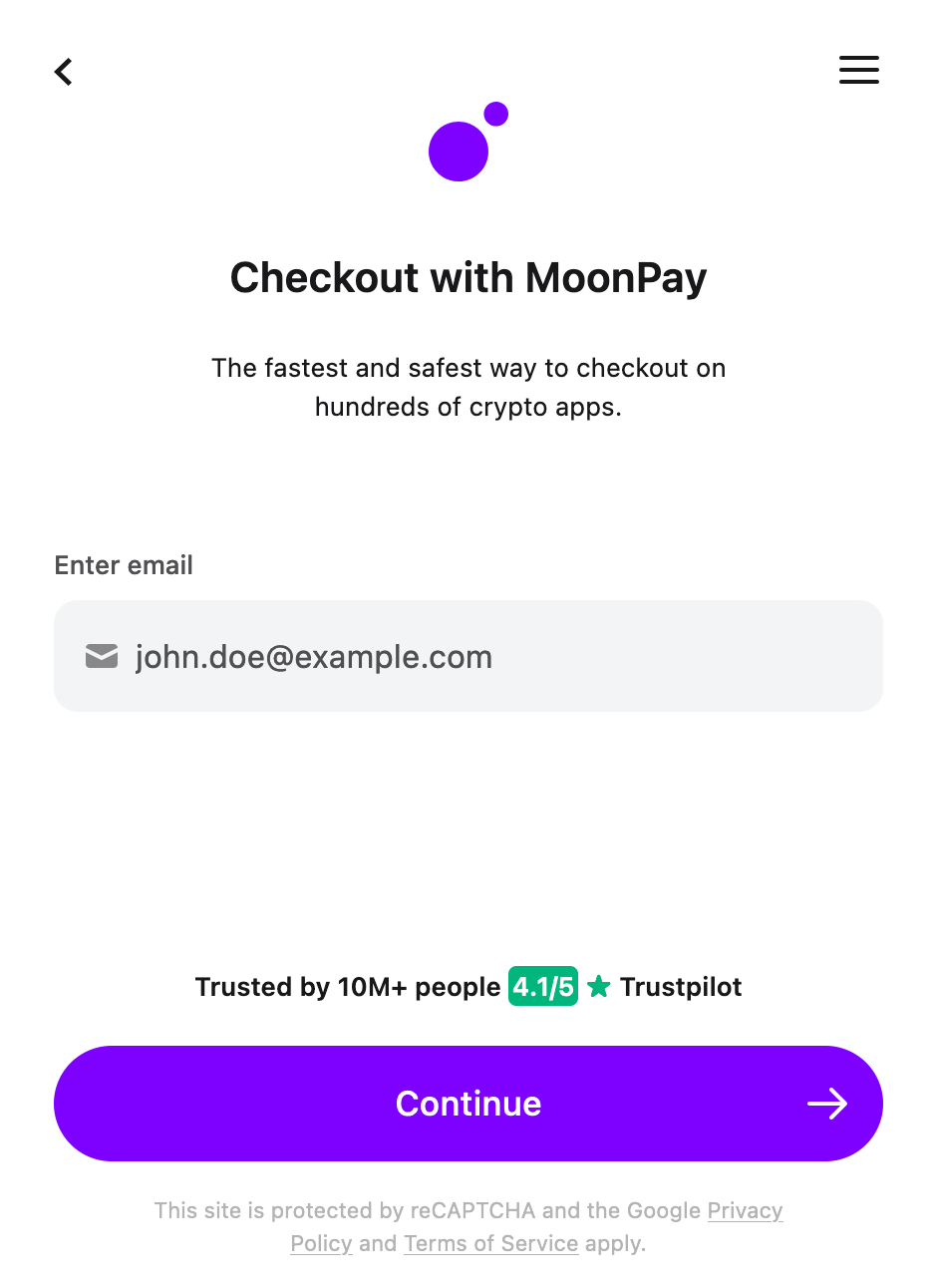
    2) Enter your email address

    If you’ve checked out via MoonPay before, simply enter the same email address you used previously.

    Trust Wallet Checkout with MoonPay screen

    If this is your first time using MoonPay, you’ll need to go through our onboarding process. This involves providing your full legal name, residential address, email address, and acceptable proof of identity. 

    Learn more about our identity verification process here.

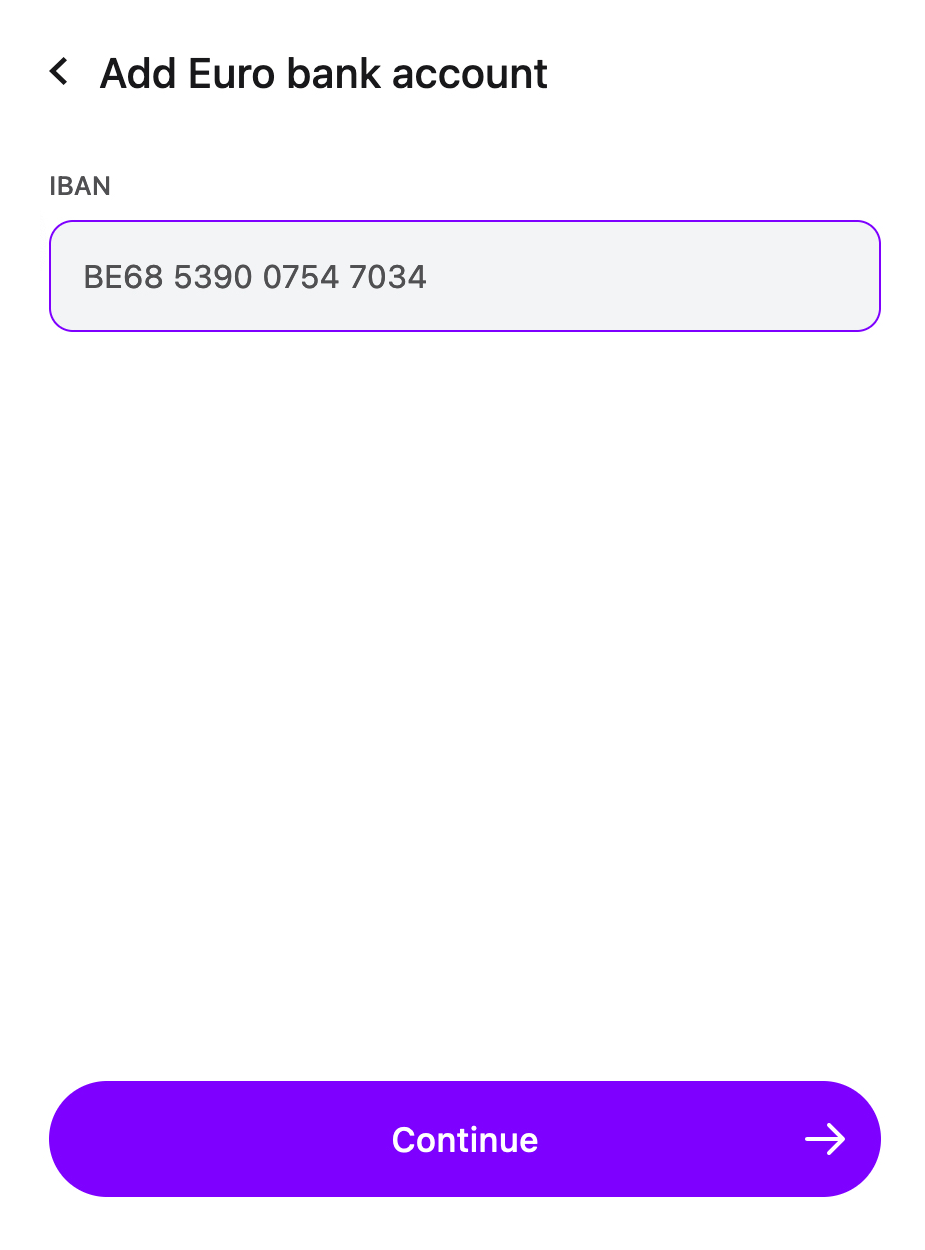
    3) Enter your bank account details

    After inputting your email address and passing MoonPay’s identity verification, you’ll then need to add your bank account details.

    Trust Wallet Add Euro bank account details screen

    If this is your first time selling crypto via MoonPay, you’ll be asked to manually input the IBAN pertaining to your bank account, so be sure to have these details on hand.

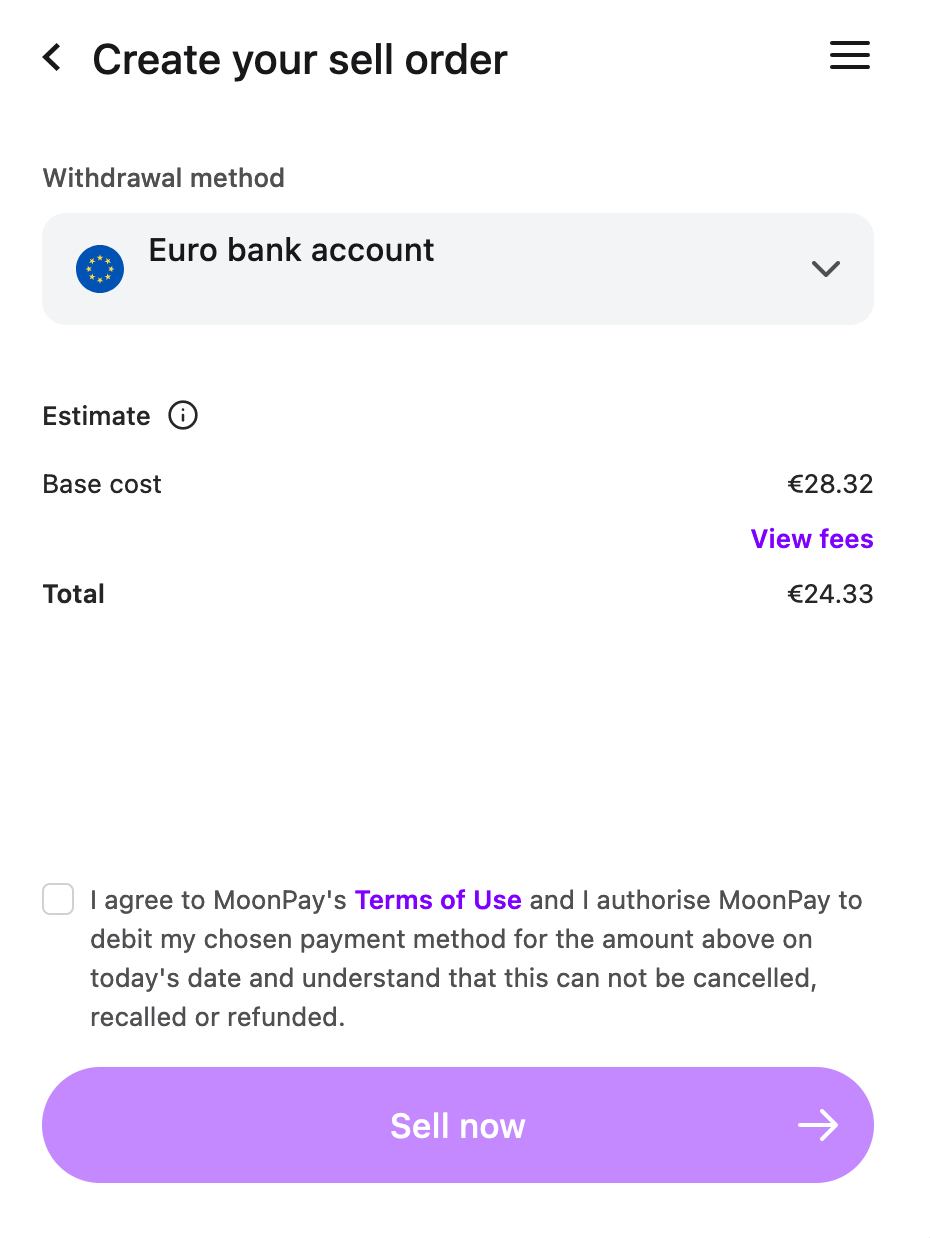
    4) Create your sell order

    Next, you’ll be asked to confirm your order on a screen that displays MoonPay’s fees.

    Trust Wallet Create your sell order screen

    You’ll also need to agree to our Terms of Use in order to sell cryptocurrency via MoonPay. 

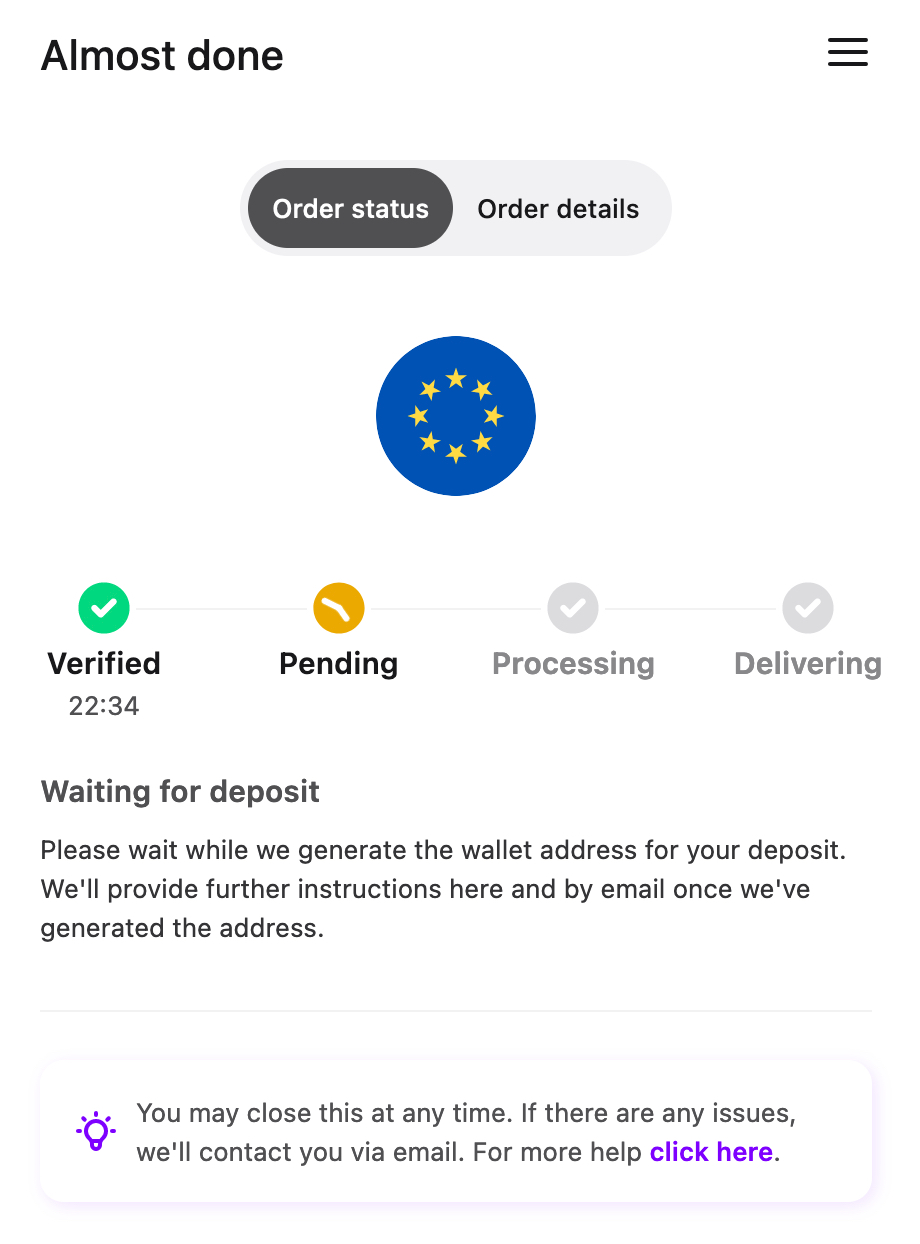
    Trust Wallet Order pending screen

    While we generate the wallet address for your sell order, you’ll receive further instructions by email with deposit instructions. 

    5) Deposit your crypto

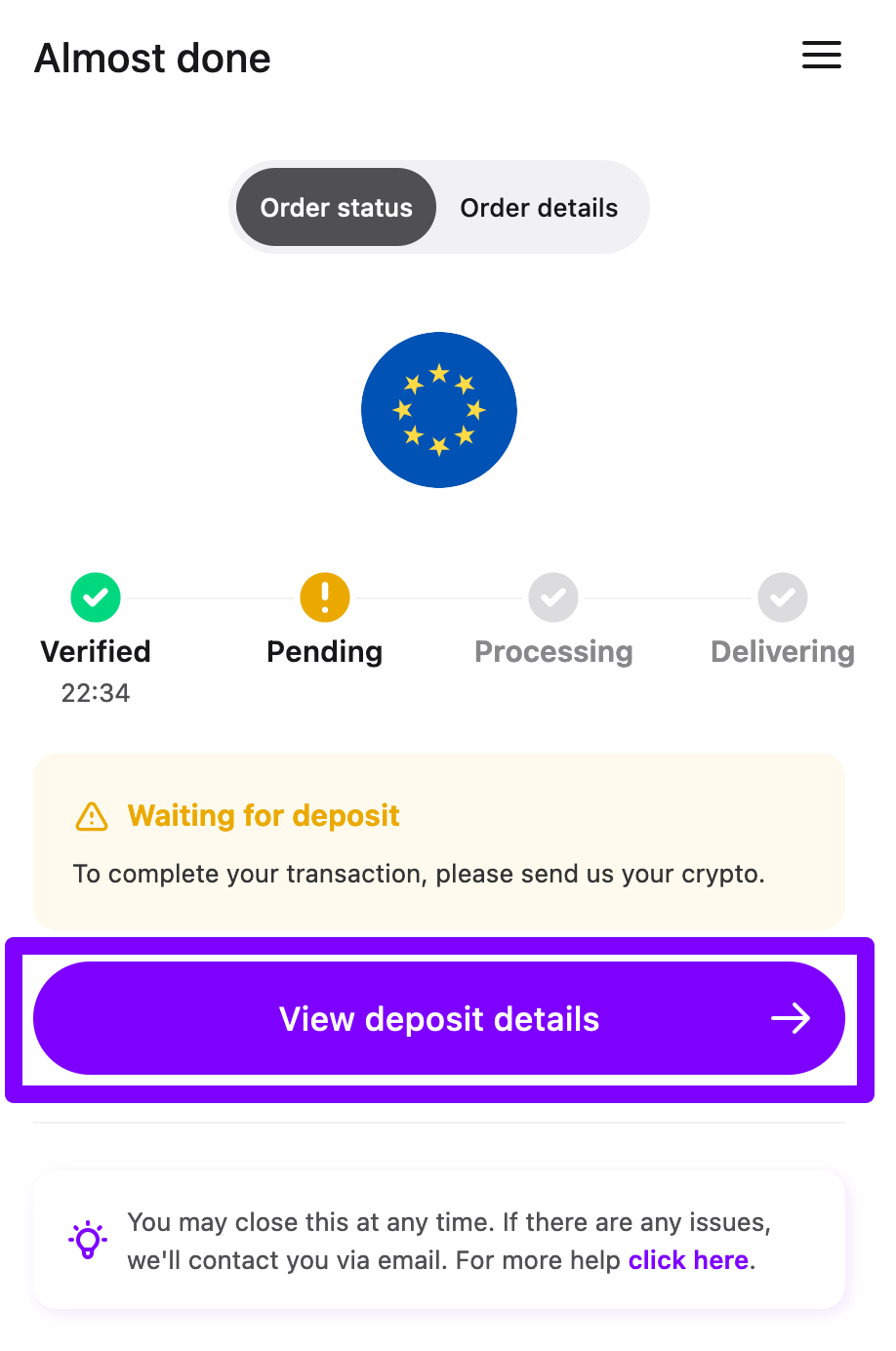
    After all checks have been completed, you will be guided through a few final steps of the transaction.

    MoonPay Trust Wallet Deposit your crypto screen

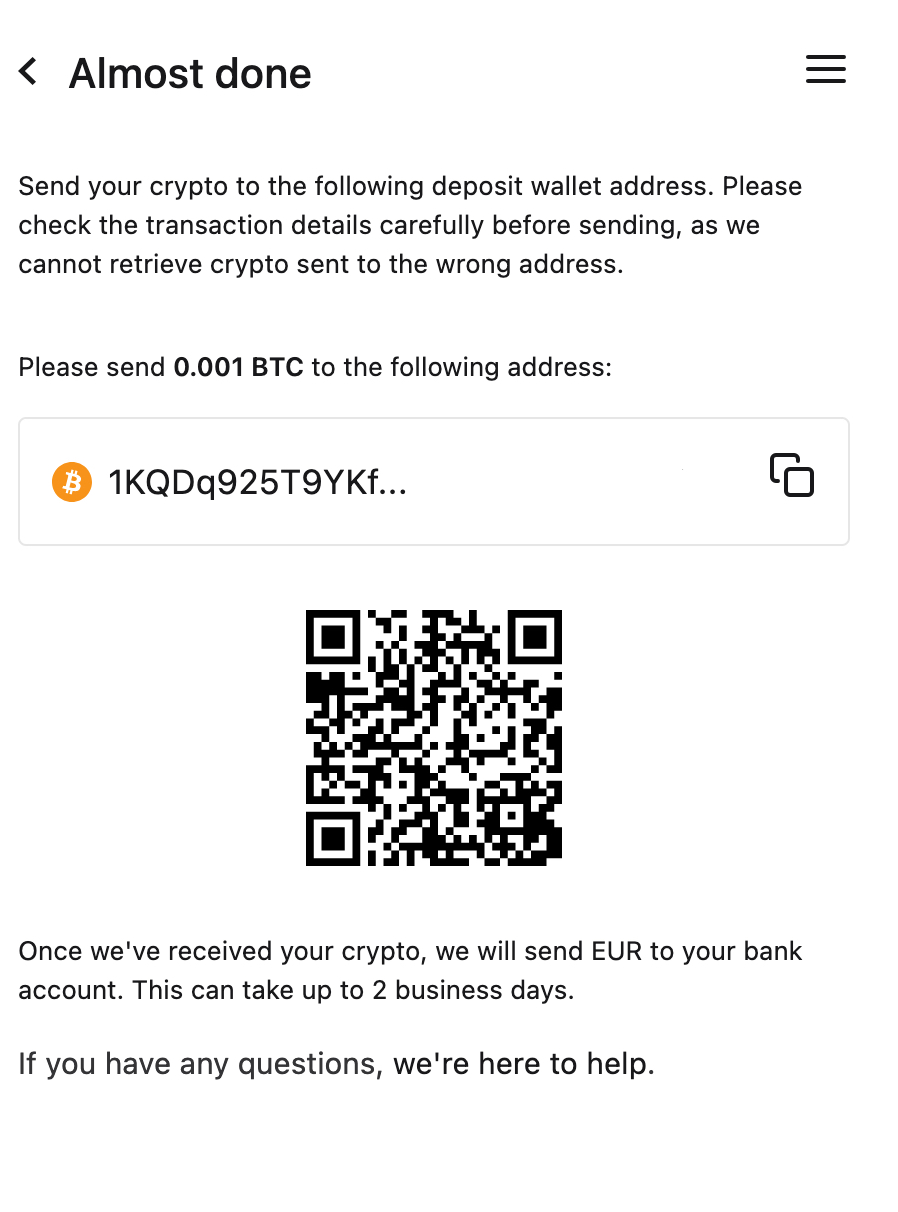
    The final step will allow you to see the custom wallet address for deposit, as well as a QR code corresponding to where you can send your crypto.

    You will need to go to the wallet holding your crypto and send the amount of cryptocurrency you sold to the MoonPay deposit wallet address to complete the transaction.

    MoonPay Trust Wallet Almost done screen

    The exact amount of crypto to send will also be displayed on this screen.

    6) Receive your funds in fiat currency

    Congratulations! You have successfully completed a sell order via MoonPay. 

    You’ll receive confirmation of your bank transfer after we receive your cryptocurrency. Throughout the process, you can always monitor your transaction progress every step of the way.

    Sell crypto with MoonPay

    If you’re looking for an easy and secure way to sell crypto, MoonPay has you covered.

    With MoonPay, you can instantly sell cryptocurrencies like Bitcoin and Ethereum using our payments widget and transfer fiat currency directly to your bank account.

    You might also like

    guide+2
    embedded wallets end of seed phrases

    Embedded Wallets and The End of Seed Phrases

    For most of crypto's history, the price of admission was a ritual: write down 12 words, in order, on something that can't catch fire or get wet, and guard them for the rest of your life. Get it right and you're your own bank. Get it wrong o

    cryptocurrency+2
    Accepting Crypto Payments

    How to Accept Crypto Payments: Checkout, Settlement & Merchant Setup

    A customer just bought a $100 hoodie from your online store and paid in crypto. Quick question: where is that $100 right now?

    cryptocurrency+2
    chain abstraction explained

    Chain Abstraction Is the Next Step After Bridges and Network Switching

    Somewhere in your wallet right now there is probably money you can't easily spend. Not lost, not stolen. Just on the wrong network. USDC on Arbitrum when the app you want takes USDC on Base. ETH on mainnet when the game you're playing lives

    bitcoin+2
    crypto in prediction markets

    How Prediction Markets Work (and Where Crypto Fits In)

    A prediction market is a place where people put money on what happens next. Will the Fed cut rates in September? Will Bitcoin close the year above $150,000? Each question becomes a contract you can buy and sell, and the price of that contra

    cryptocurrency+2
    What is an MPC wallet? Benefits, Tradeoffs & Use Cases

    What is an MPC wallet? Benefits, Tradeoffs & Use Cases

    An MPC wallet is a crypto wallet that never stores your private key in one piece. The key is split into encrypted shares held in different places, and signing a transaction combines those shares without ever rebuilding the whole key. That d

    security+2
    Wallet as a Service (WaaS)

    What Builders Need to Know About Wallet as a Service (WaaS)

    You want to add a crypto wallet to your product. You start researching and hit three terms that all overlap: white-label wallets, embedded wallets, and wallet as a service. Marketing pages from infrastructure providers blur the lines. Most